
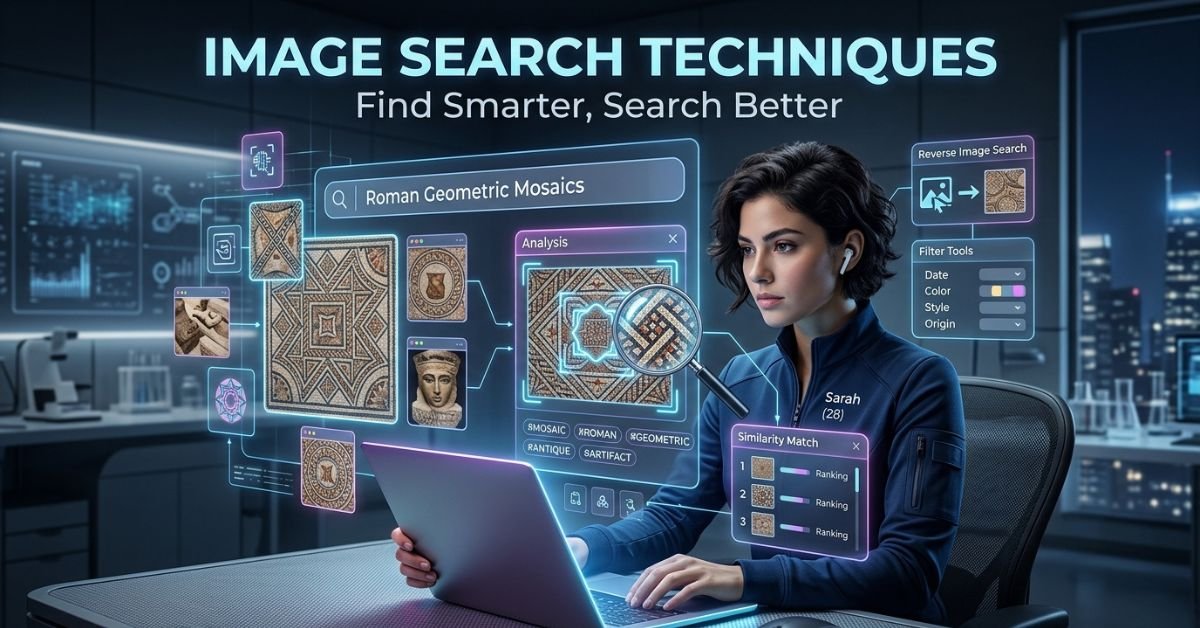
Image search techniques have evolved far beyond basic keyword matching. In 2026, they blend computer vision, multimodal AI, and massive indexes to deliver precise, context-aware results. Whether you’re fact-checking, hunting for product info, verifying authenticity, or optimizing your own visuals for discovery, these methods save serious time.
We’ll break down the core approaches, step-by-step instructions for the best tools, smart combinations that pros rely on, how AI changed everything, common pitfalls, and practical ways to use these techniques in real life.
What Image Search Techniques Actually Cover Today
At its heart, image search lets you query using visuals instead of (or alongside) text. You upload or point at an image, and the system analyzes content objects, colors, patterns, faces, text, context then returns matches, similar images, sources, or related information.
Key types include:
- Keyword-based / Text-to-Image Search: Traditional Google Images with descriptive terms, filters, and operators.
- Reverse Image Search: Upload an image to find where it appears online, similar versions, or original sources.
- Visual Similarity Search: Finds images that look alike in composition, style, or elements.
- Object / Scene Recognition: Identifies what’s in the photo (plant species, landmark, product).
- Facial Recognition Search: Locates the same person across images (with privacy considerations).
- Multimodal AI Search: Combines image + text query for deeper understanding, like “find similar outfits in this style but blue.”
These aren’t separate silos anymore tools like Google Lens weave them together seamlessly.
How to Use Google Lens and Reverse Image Search (Step-by-Step in 2026)
Google Lens dominates for most users because it goes beyond simple matching. It understands what it sees.
On Mobile (Easiest): Open the Google app or Google Photos → tap the Lens icon (camera) → point your camera or upload from gallery. Drag to focus on specific parts if needed.
On Desktop: Go to images.google.com or use Chrome → right-click an image and select “Search with Google Lens” (or drag/drop/upload). Paste a URL if preferred.
Pro Tips for Better Results:
- Use the highest-resolution, least-edited version possible.
- Crop tightly to the key element (logo, face, object).
- Add keywords after the initial visual search to refine e.g., “this plant + care instructions.”
- Check “visually similar” results for variations in size, angle, or edits.
For pure origin tracking, complement with TinEye (excellent for exact matches and modifications) or Yandex (strong on faces and non-Western content).
(Visual suggestion: Annotated screenshots or step-by-step carousel showing mobile vs desktop flows, with highlighted Lens icon and crop examples.)
Comparison of Top Image Search Tools in 2026
| Tool | Best For | Strengths | Weaknesses | When to Choose It |
|---|---|---|---|---|
| Google Lens | Everyday identification & shopping | Massive index, object/scene recognition, multimodal | Less precise on exact duplicates sometimes | General use, products, plants, text extraction |
| TinEye | Finding image origins & modifications | Excellent exact-match tracking | Smaller index, weaker on faces | Copyright checks, stock image tracking |
| Yandex Visual Search | Faces & Eastern European content | Superior facial recognition | Interface less intuitive for some | People search, regional images |
| Bing Visual Search | Microsoft ecosystem integration | Good shopping & similar images | Smaller overall reach | Alternative when Google falls short |
| PimEyes / Lenso.ai | Facial & advanced AI matching | Neural net facial focus | Privacy concerns, paid tiers | Specific person lookups (ethically) |
| Multimodal AI (e.g., in Search AI Mode) | Conversational visual queries | Understands context + follow-ups | Still emerging for some edge cases | Complex or iterative questions |
Test the same image across 2-3 tools. Each indexes differently and surfaces unique results.
Advanced Techniques That Most People Miss
- Combine Visual + Text Operators: After a reverse search, add filters like usage rights (for creative commons), color, or file type.
- Partial / Cropped Searches: Focus only on a logo, pattern, or detail when the full image overwhelms results.
- Detecting AI-Generated or Edited Images: Run reverse search to check origins. Look for inconsistencies in metadata, lighting, or use dedicated AI detectors alongside. Reverse + similarity often reveals recycled bases or deepfakes.
- Visual SEO Angle (for Creators): Optimize your own images with descriptive filenames, alt text, captions, and structured data so they rank better in these systems. High-quality, context-rich images perform best.
- Shopping & Identification Wins: Snap a photo of clothing, furniture, or gadgets Lens often pulls price history, similar products, or manuals.
Real-world impact is huge. Professionals use these for fact-checking viral images, tracking unauthorized use, reselling vintage items with full specs, or discovering inspiration without dead-end keyword hunts. Studies and platform data show visual search adoption growing rapidly, especially in retail and verification workflows. [Source: 2025-2026 industry reports on visual search and AI adoption]
Myth vs Fact
Myth: Reverse image search always finds the exact original source. Fact: It finds visually similar or identical indexed copies. Edits, crops, or new uploads can hide originals cross-tool checking helps.
Myth: Google Lens replaced reverse image search entirely. Fact: Lens builds on it with smarter recognition, but pure matching tools like TinEye still serve specific needs better.
Myth: These techniques only work for famous or stock images. Fact: They shine on obscure items too obscure gadgets, regional photos, or personal verification especially with AI advancements.
Myth: Uploading any photo works perfectly. Fact: Quality, focus, and cropping dramatically affect accuracy. Garbage in, less useful results out.
Insights From Years Tracking Search Behavior
Having analyzed how people and teams hunt for visuals across platforms for over a decade (including heavy testing through 2025’s AI shifts), the biggest recurring mistake is stopping at the first tool or result set. The second or third engine often reveals what the first missed.
Another pattern: users who add a quick keyword refinement or crop strategically get dramatically better outcomes than those who upload and hope. In 2025-2026 tests with multimodal features, combining image + natural language follow-ups turned vague searches into precise answers faster than ever.
FAQs
What are the main image search techniques?
They include keyword-based searches, reverse image search (uploading a photo to find matches), visual similarity matching, object/facial recognition, and multimodal AI that understands both the image and your text query.
How do I do a reverse image search in 2026?
On Google, go to images.google.com or use Lens in the app/Chrome. Upload the image, paste a URL, or drag and drop. For mobile, open Google app → Lens icon → scan or upload. Complement with TinEye or Yandex for fuller coverage.
Is Google Lens better than traditional reverse image search?
Yes for understanding content (what the object is, shopping info, text extraction). Traditional reverse excels at exact duplicate tracking. Use both depending on your goal.
Can image search help detect AI-generated images?
It helps by revealing origins or similar versions, but pair it with metadata checks and dedicated AI detectors. Recycled bases or inconsistencies often surface through reverse + similarity searches.
How can I make my own images easier to find with these techniques?
Use descriptive filenames and alt text, add context-rich captions, ensure high quality, and implement structured data. Clear, meaningful visuals rank and match better in visual systems.
Are there privacy risks with facial image search?
Yes tools like PimEyes raise concerns. Use ethically, respect consent and platform policies, and be aware of how your uploads might be processed or stored.
CONCLUSION
Image search techniques in 2026 turn pictures into powerful queries whether you’re identifying unknowns, verifying facts, shopping smarter, or making your own content more discoverable. Tools like Google Lens, combined with specialized engines and multimodal AI, give you an edge that text alone can’t match.
CLICK HERE FOR MORE BLOG POSTS

Noah is a passionate content writer at Saxby, known for creating engaging and informative articles across a variety of topics. With a keen eye for detail and a reader-focused approach, he delivers high-quality content that blends clarity, research, and practical insights. Noah consistently aims to provide value-driven content that resonates with a global audience.